
The brief
RFID on a job site
Eyrus tracks the movement of people and equipment at construction sites using RFID. Workers wear tags, antennas pick them up, and a small computer beside each antenna sends what it reads to the cloud.
Client work · 2016 · for Eyrus
RFID site tracking, from the box to the cloud.
Eyrus tracks the people and equipment on a construction site with RFID. I wrote the firmware-level software on the box beside each antenna, remotely managed, with health checks and automatic updates, along with the API its readings go to and the app that runs the fleet.
The brief
Eyrus tracks the movement of people and equipment at construction sites using RFID. Workers wear tags, antennas pick them up, and a small computer beside each antenna sends what it reads to the cloud.
The challenge
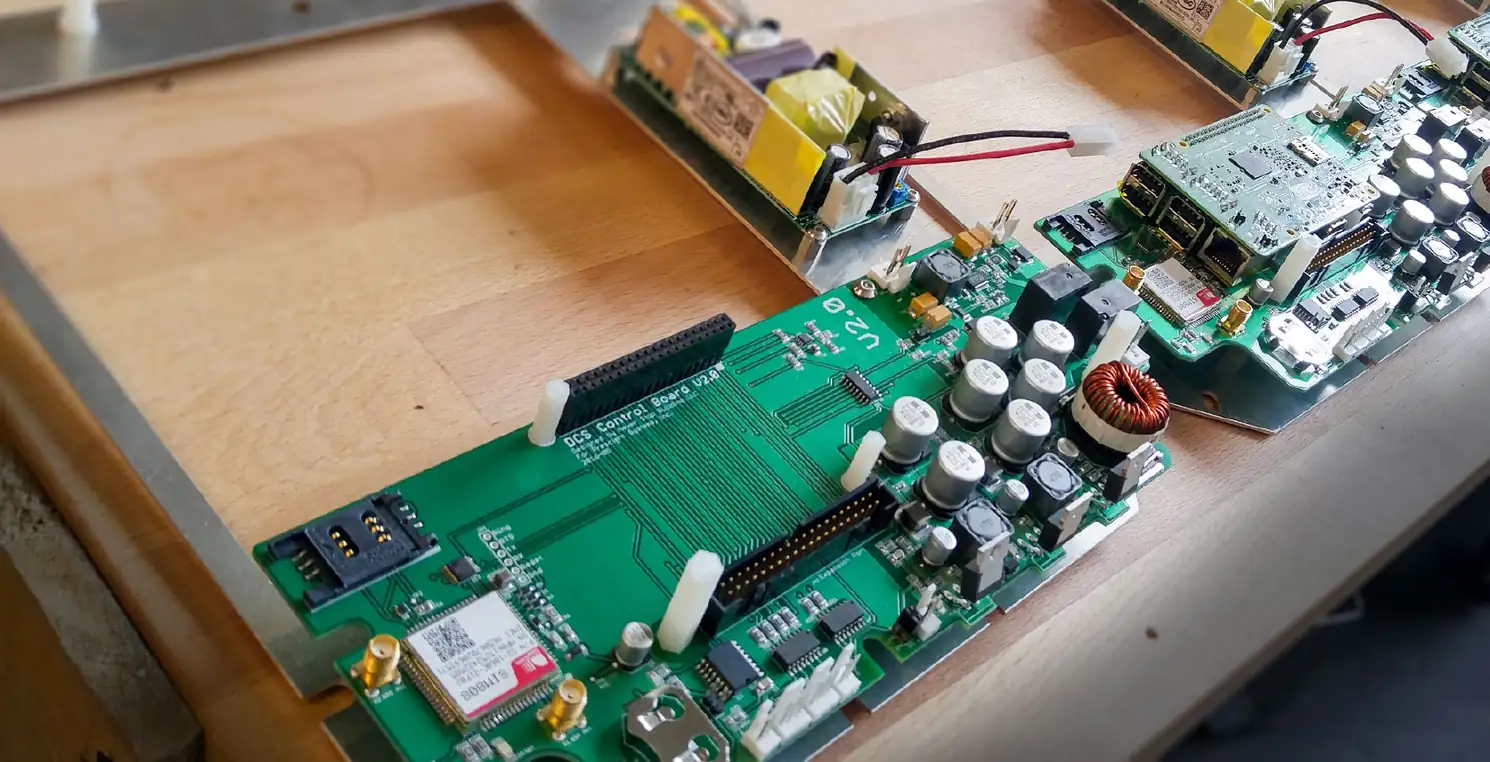
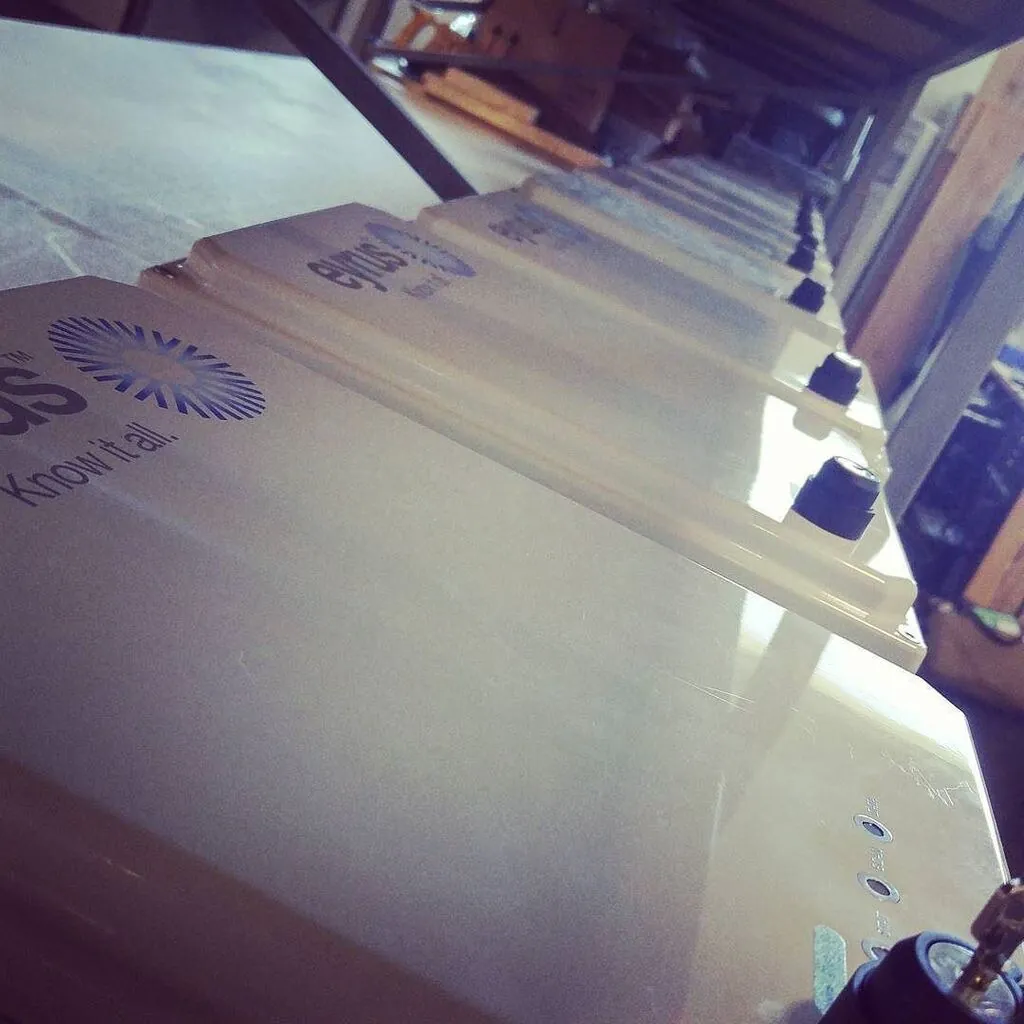
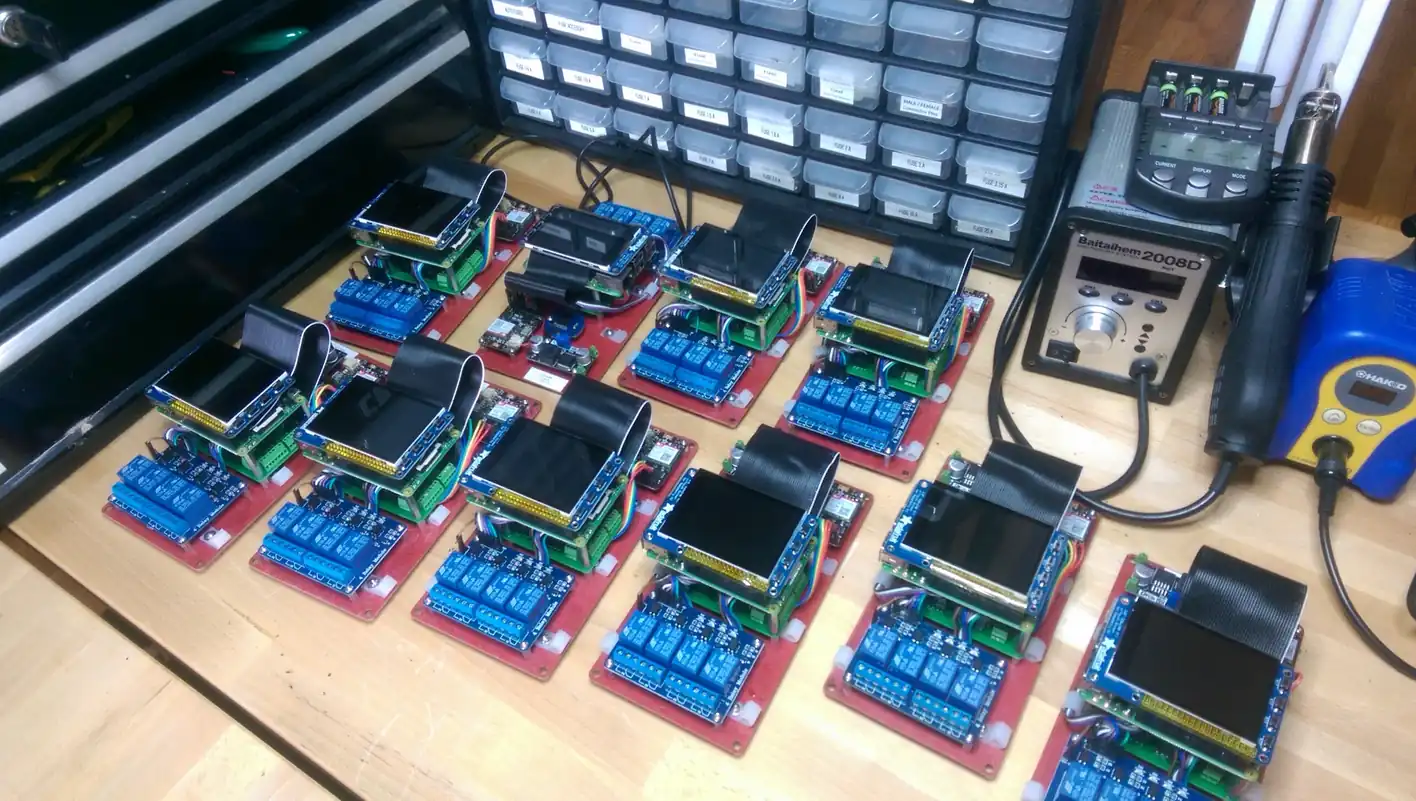
The hardware, an enclosure with a Raspberry Pi, battery power, charging and RFID antennas, was designed, prototyped and manufactured by Never Stop Building. It sat on job sites with no one to look after it, so software had to make all of it work, cope with lost connectivity and sudden power loss, and update itself without ever failing.
What we made
I wrote the firmware-level software that runs on each box, with health checks and automated updates managed remotely, that gathers the readings from the RFID hardware, then the API that takes them in and the Rails app that configures and monitors the whole fleet, and passed the data on to Eyrus's .NET software.
The idea
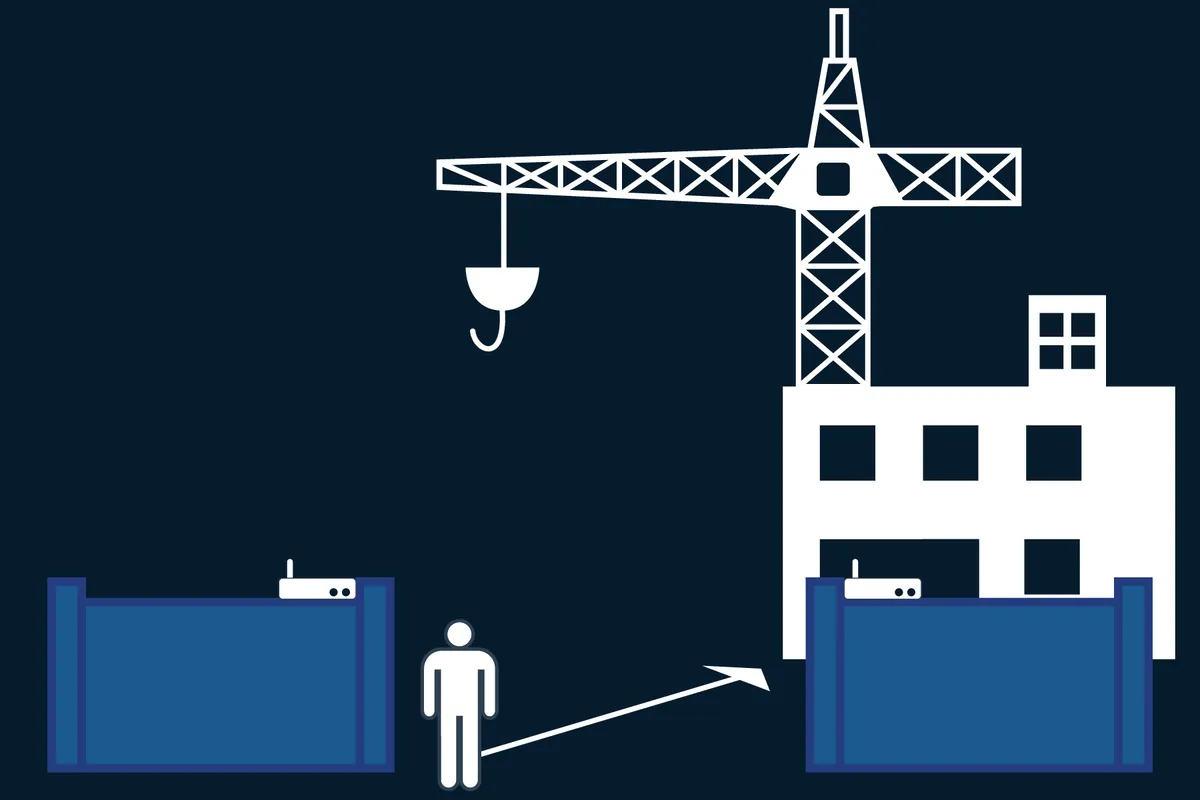
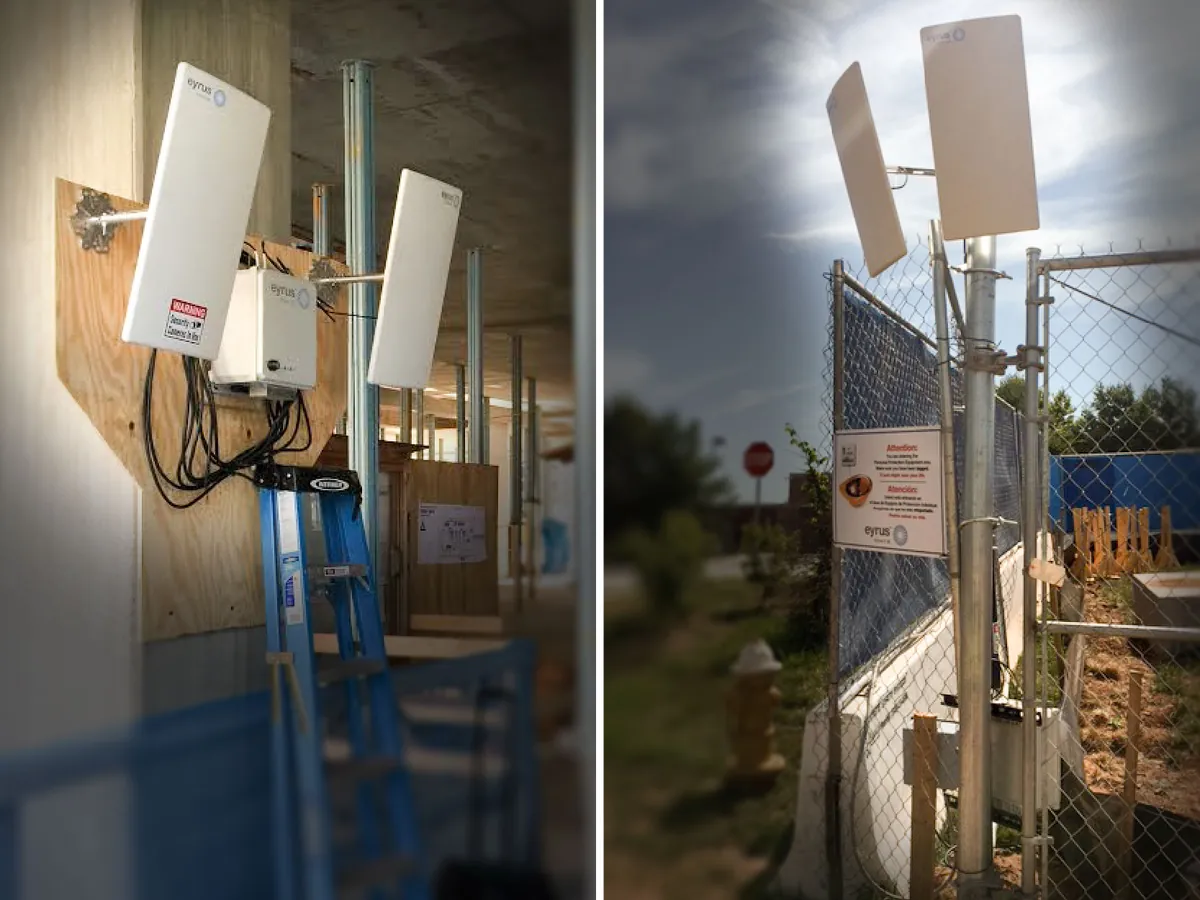
Workers on a site wear RFID tags, each one unique, so the system knows the moment someone walks past a receiver. Receivers go in strategic, identifiable places around the site, and they pick up each passing tag with a timestamp, the tag’s identifier, its battery level and more, and hand it to the nearest DCS box.
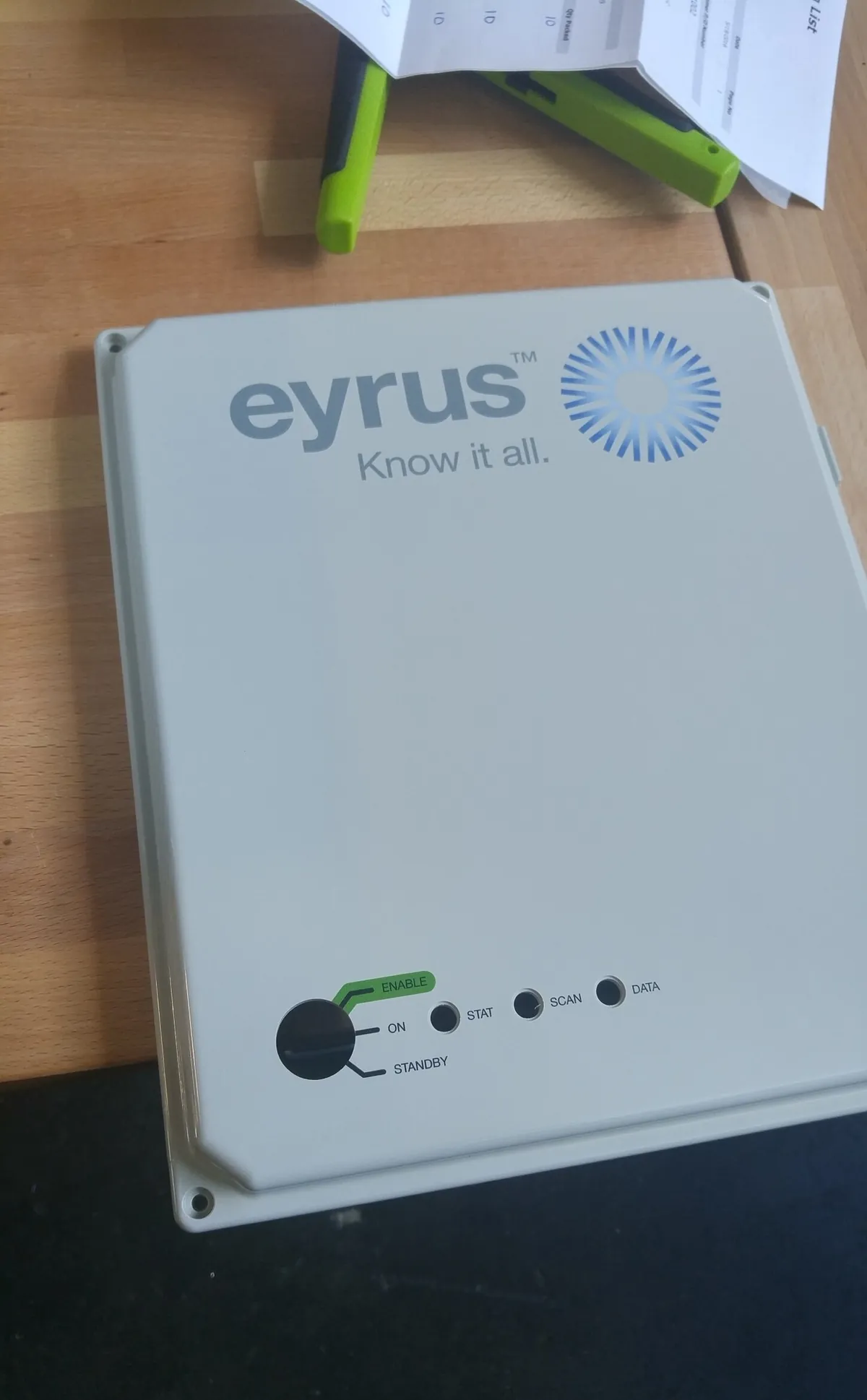
The box is a Raspberry Pi in a custom enclosure, with its own battery and charging. It does very little thinking on its own: it takes the raw reads from the antennas and posts them to my API, and everything after that, the processing and the management, happens in the cloud.
Movement
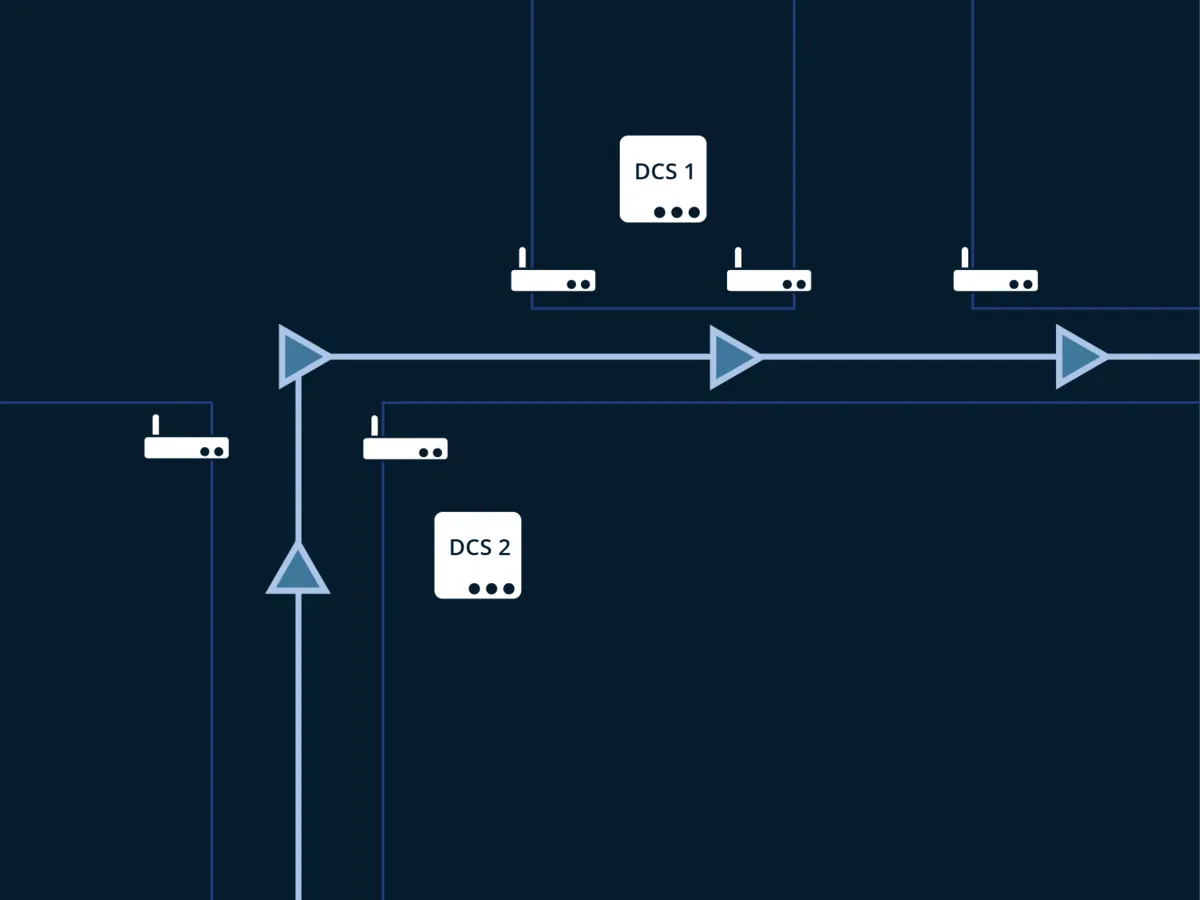
With antennas at the gates and doorways, and a tag on every worker, a person’s path through a job site shows up as a series of reads, one box after another. Those reads went up to the DCS site manager, a proxy that passed them on into Eyrus’s .NET ingestion point, where the analysis happened.
People were the main thing tracked: who was on a job site, for job costing, billing and payroll. Trucks and equipment carried tags too, so Eyrus could track deliveries coming and going, and watch equipment to detect and deter theft.
There were several antennas on a site, and everything turned on following a tag’s identifier from one to the next. That analysis lived in the .NET product. I was responsible for getting the raw reads off the antennas connected to a DCS box and into the proxy in an authenticated, safe way, and the proxy turned around and passed them on to be ingested.
The collection
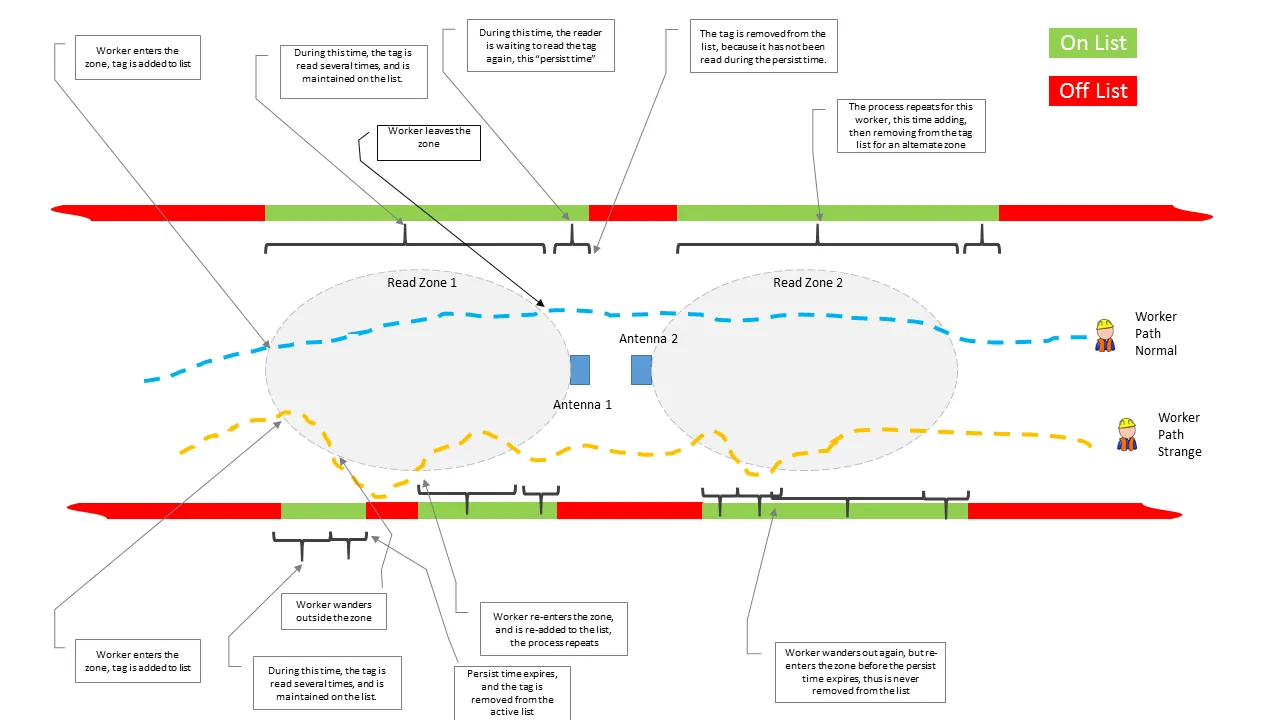
The collection algorithm decides who is on a site from the antennas’ raw reads. When a worker enters a read zone, the tag is added to a list. While it is read, again and again, it stays on the list.
When the worker leaves, the reader waits for a set time, the persist time, in case the tag comes back. If it isn’t read again in that time, it comes off the list. If the worker wanders out and back in before the persist time runs out, the tag is never removed. The drawing below follows two workers, one walking straight through two zones and one wandering in and out.
The box
The hardware design, the prototyping and, in the end, the manufacturing were handled by Never Stop Building, and the person behind it was Jason Fox. That covers the enclosure, the Raspberry Pi and the choice of components. My part was everything that ran on it, and it was firmware in all but name: launch scripts, daemons and Sidekiq workers that start on their own when the box powers up, talk to the RFID hardware and the other physical pieces to gather their readings, watch the battery and power over the Pi’s GPIO pins, and report in. The cloud managed all of it remotely, with health checks and automated software updates.
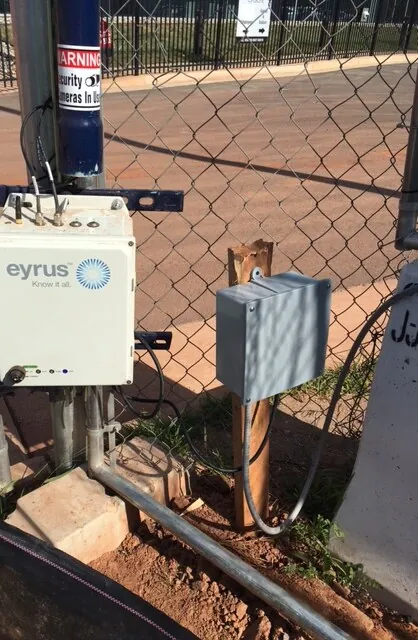
It was an Internet of Things system, a fleet of small computers run from the cloud, and it had to work with nobody standing next to it. A box on a fence at a building site loses its network and loses its power, and nobody is there to sort it out.
Resilience
Nearly everything the box does goes through a queue. A daemon that reads a tag doesn’t call the API; it puts the read in Redis and moves on, and Sidekiq delivers it when it can. Monit watches the services and starts them in the order they depend on each other, so a box that loses power is meant to come back on its own.
Step through a day in the life of one box here. It’s a drawing of how it was designed to behave, not a recording.
Tag readRedisSidekiqIngestion API
Tag readTag readTag readIngestion API
Tag readRedisSidekiqIngestion API
Mains lostBatteryShut down below 11.7 V
BootMonitEvery service, in order
CloudUpdateRoll back, if it fails
The hard part
The hardest thing to get right was updating the software on boxes I couldn’t touch. What runs on a box is Ruby, not a compiled program, so an update means fetching a new set of code that has to start cleanly on a machine I may never see again, and a failed update means a box someone has to go and fix.
I engineered it out of git repositories and bash scripts, handing out versions as git tags on GitHub. A release is a git tag. The box stops its services, checks out the tag, runs any scripts it hasn’t run before, reloads monit’s configuration, starts everything again and tells the API it’s done. Those scripts were inspired by Rails migrations, for the one-off changes a box needs when it moves from one version to the next.
The update ran in isolation, with rollback from the cloud, and it had to survive everything that comes with a Ruby project on a small computer, Bundler included.
“I was working on a problem I hadn’t solved anything like before, and I still haven’t since. The RFID side was exciting too, and I had a lot of creative freedom to come up with elegant solutions to a complex problem.”


The fleet
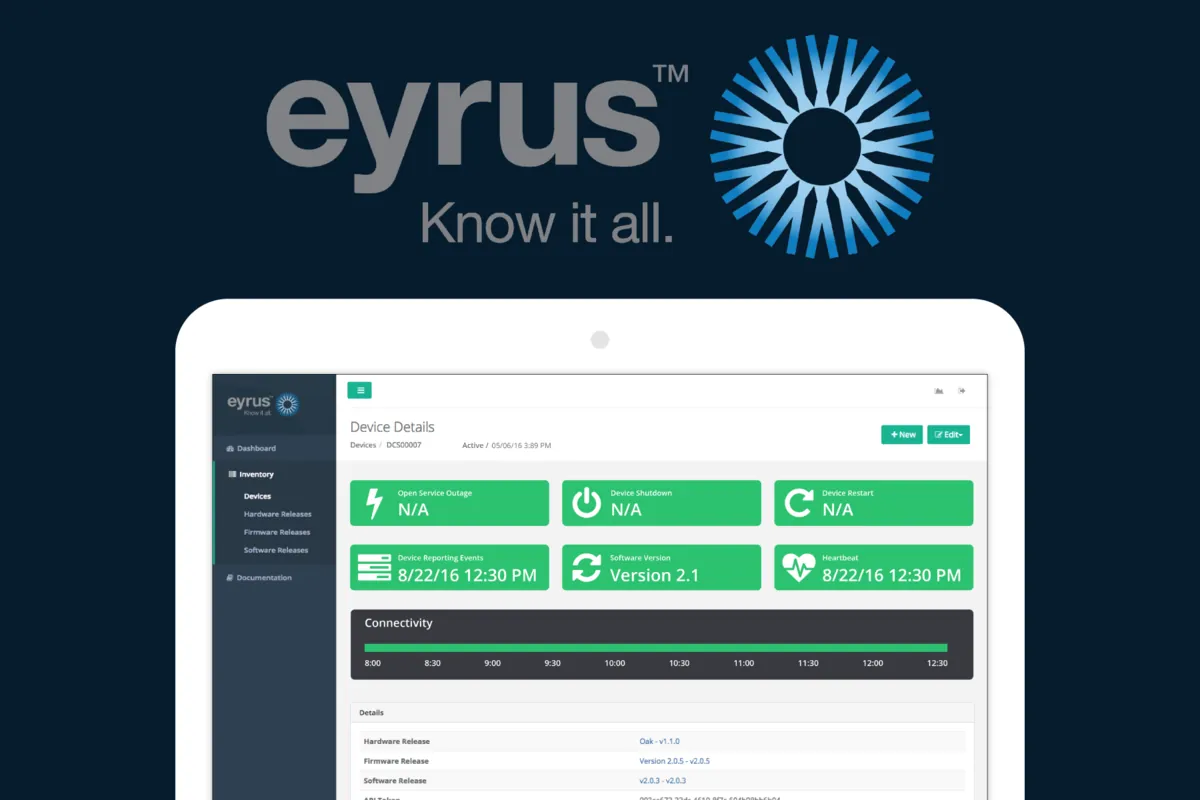
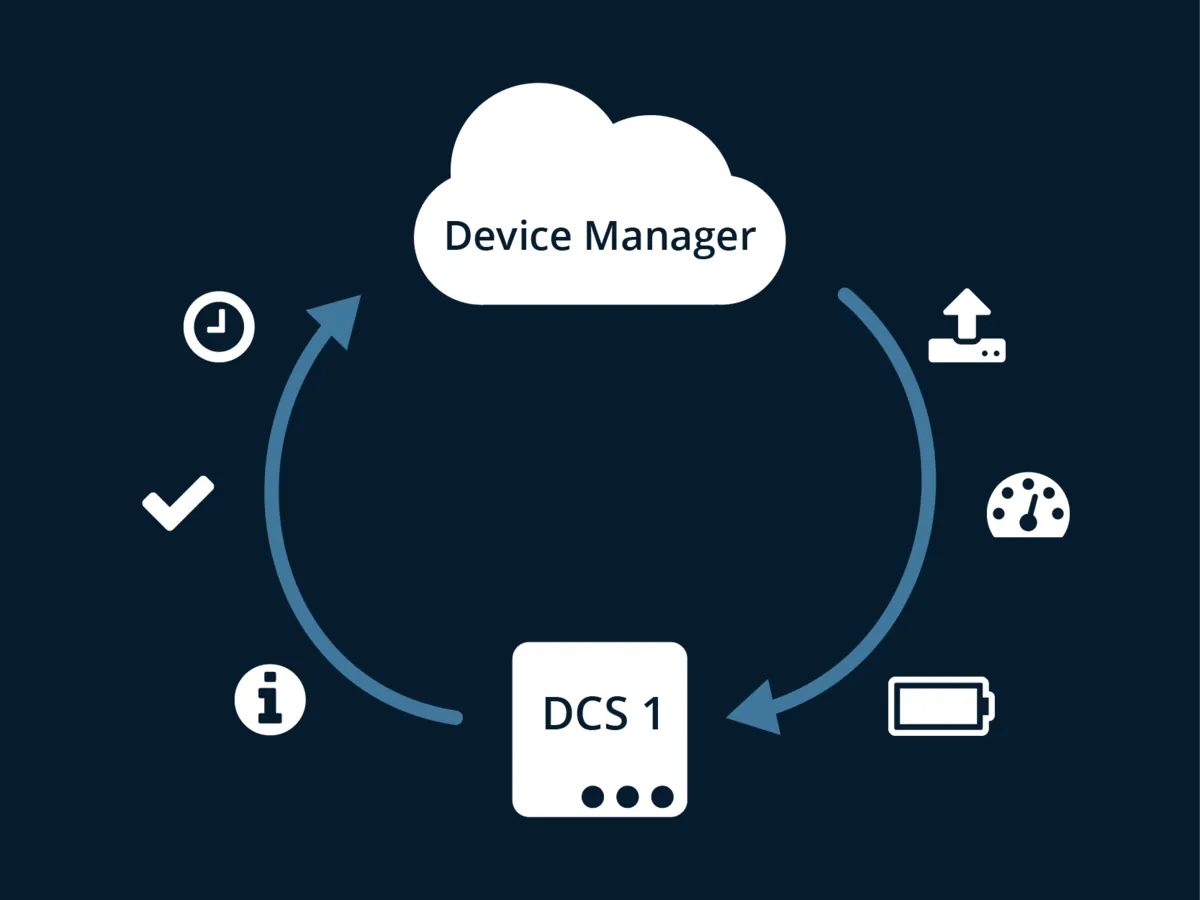
The cloud side was two separate pieces with different jobs. The first is the Rails management app and API, where Eyrus configures sites, gates, antennas, tags and the boxes themselves. The boxes ask it now and then for their settings and for reboot commands.
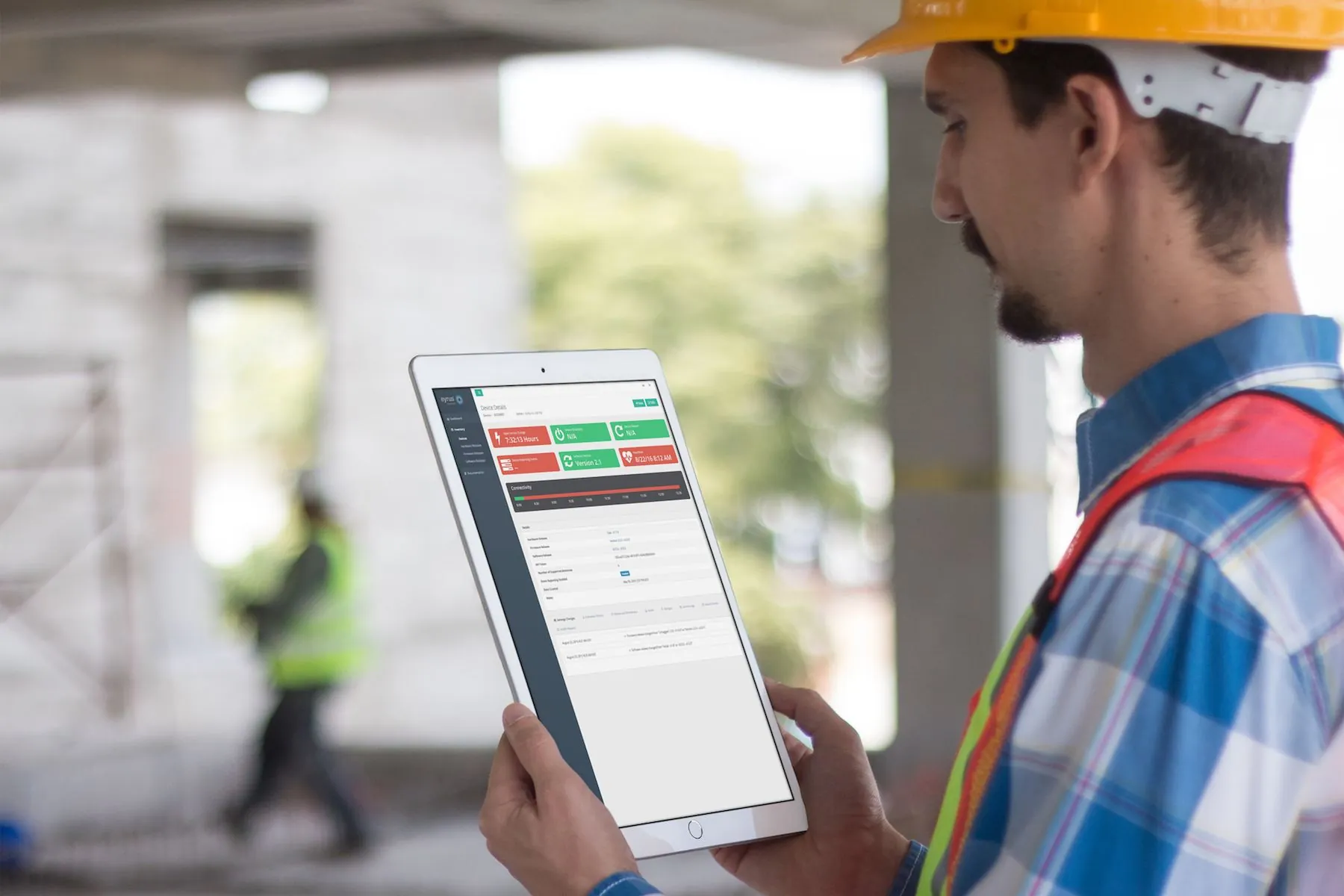
It was clear early on that detailed metrics and status would matter as much as the features, so each box reports its health and its heartbeat, and the app shows outages, restarts, the software version it runs and a connectivity timeline. From there a box can be restarted, or its software updated, from anywhere.
The ingestion API
The second piece is the ingestion API, which needs high uptime and low latency. It writes each event into Redis and answers straight away, and a separate Sidekiq process then forwards the events to Eyrus’s .NET software, which sat outside my cloud.
In July 2016 I ran load tests against it with siege, sending a heartbeat and event payload for two boxes at once, sized for a morning when about 500 people arrive at a site. These are the five runs, exactly as I recorded them.
| Run | Concurrent | Length | Events | Average | Available |
|---|---|---|---|---|---|
| 1 | 25 | 1 min | 590 | 6.8 ms | 100% |
| 2 | 50 | 5 min | 5,992 | 3.5 ms | 100% |
| 3 | 100 | 5 min | 11,418 | 7.4 ms | 99.86% |
| 4 | 100 | 5 min | 11,580 | 112 ms | 99.8% |
| 5 | 100 | 10 min | 21,499 | 137 ms | 99.7% |

